GS1 DataBar · server-powered
GS1 DataBar Expanded Stacked generator.
GS1 DataBar Expanded Stacked takes the exact payload of its single row sibling and folds it into short rows, trading width for height. The data rules, capacity, and checkout scannability are identical; only the footprint changes, which is the whole point on a small fresh food label. In our probes the same five AI payload came out just over a quarter as wide and four and a half times as tall as the unstacked version.
Expanded AIs, folded into rows.
Standards-based quiet zones are always on. For production packaging, verify a printed sample with a barcode verifier.
Preview
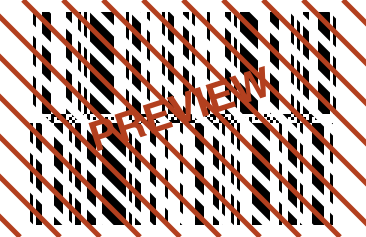
- Renders on our servers, the one Plume tool that does.
- We keep the code type and content length, never what you encode.
- Free SVG vector + up to 600 DPI PNG, commercial use allowed.
- Full details in the privacy policy.
Valid GS1 DataBar Expanded Stacked input
The payload follows the same grammar as the flat version: bracketed AIs, each validated for length, character set, check digit, and calendar sanity before render. Anything that encodes as Expanded encodes here too, because folding changes the drawing, not the data.
Do not add a pipe character. The pipe separator belongs to the composite DataBar types that bolt a 2D component onto the linear symbol; here it is treated as ordinary data, so (01)09521234543213|(21)ABC just makes the first field overlong and the lint answers AI 01: Too long.
Working sample: (01)09521234543213(3103)000123 The shown GTIN and 0.123 kg weight pair renders here folded into rows instead of one long line.
Where GS1 DataBar Expanded Stacked is used
- Small fresh food packs where a full width Expanded strip simply does not fit on the label
- Narrow or vertical panels on meat trays, deli tubs, and clamshells whose label size is fixed by the pack
- Weigh price labelers that print short labels but still need GTIN, weight, and a date in one POS symbol
Common errors and how to fix them
- AI 01: Too short
- AI (01) always takes 14 digits. A 13 digit EAN becomes a valid GTIN-14 by padding one leading zero, and the existing check digit stays correct.
- AI 3103: Not numeric
- Measure AIs are digits only. The final digit of the AI itself (the 3 in 3103) already places the decimal point, so 0.123 kg is entered as 000123 with no letters or dots.
- AI 10: Invalid CSET 82 character
- Batch and lot codes allow letters, digits, and limited punctuation from GS1 CSET 82. Characters like { or ~ sit outside that set, so strip them from the lot code.
- AI 11: Invalid day of month
- (11)260230 asks for 30 February, and the lint checks real calendar days, not just digit count. Use a date that exists, for example (11)260228.
Size and printing
Layout here is fully automatic: the generator decides the row folding itself, so there is no bar height or text control, and you steer physical size through module width in mm and DPI up to 600. The standard allows the symbol up to 11 rows; in our probes this generator folded a bare GTIN into two rows and a near capacity payload into six. Because extra data adds rows rather than only width, budget your label height in row increments instead of assuming a fixed strip. A crisp result at thermal label resolutions usually means keeping the module width in the retail POS range and printing from the vector SVG when the label software scales artwork.
GS1 DataBar Expanded Stacked questions
What is the difference between GS1 DataBar Expanded and Expanded Stacked?
They encode the same element strings with identical capacity; the stacked form folds the symbol into multiple rows so it fits narrow labels where the flat strip would overflow.
How many rows does GS1 DataBar Expanded Stacked have?
The standard permits from two up to eleven rows. This generator picks the folding for you; in our probes a lone GTIN produced two rows, a five AI payload five, and a near capacity payload six, which is why the shape shifts as you edit.
Can GS1 DataBar Expanded Stacked be scanned at the checkout?
Yes. It is a point of sale approved member of the DataBar family, so registers with imaging scanners read it omnidirectionally, provided the print is sharp at a POS legal module width.
Why did my stacked barcode change shape when I edited the data?
Row folding is recomputed for every payload. Adding an AI can push the symbol from two rows to three or more, so a changing outline is normal, not an error.