Industrial · server-powered
Code 39 generator.
Code 39 is the legacy industrial barcode: letters, digits and a handful of symbols, readable by practically every scanner ever made. No check digit is required, which keeps it simple for internal labeling.
Letters, digits and -. $/+%, legacy industrial standard.
Standards-based quiet zones are always on. For production packaging, verify a printed sample with a barcode verifier.
Preview
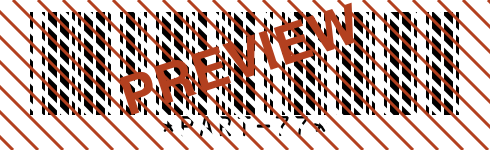
- Renders on our servers, the one Plume tool that does.
- We keep the code type and content length, never what you encode.
- Free SVG vector + up to 600 DPI PNG, commercial use allowed.
- Full details in the privacy policy.
Valid Code 39 input
Code 39 encodes exactly 43 characters: the digits 0 to 9, capital letters A to Z, the space, and the six symbols hyphen, period, dollar sign, slash, plus and percent. Lowercase is not in the set, so type PART-77 rather than part-77; this generator rejects lowercase instead of silently converting it. The asterisks that frame every Code 39 symbol are start and stop characters the encoder adds itself, so leave them out of your input.
The symbology sets no length limit (the tool accepts up to 2048 characters, though Code 39 grows wide very quickly) and requires no check digit. Standards layered on top, such as HIBC in healthcare, do mandate a modulo 43 check character; if yours does, compute it and append it as part of your data.
Working sample: PART-77 a short part tag drawn entirely from the 43 allowed characters.
Where Code 39 is used
- Defense and government labels (LOGMARS)
- Automotive part tracking (legacy AIAG)
- Name badges and internal assets
Common errors and how to fix them
- Code 39 must contain only digits, capital letters, spaces and the symbols -.$/+%
- Your input contains a character outside the 43 allowed ones, most often a lowercase letter or an underscore. Uppercase the text and replace unsupported characters, or switch to Code 128, which encodes full ASCII.
- Enter the content to encode.
- The field is empty. Enter the part number, asset ID or reference you want encoded.
- Content is too long (max 2048 characters).
- Code 39 is the least dense common symbology, so even 30 characters make a long symbol. Well before this cap you should shorten the data or move to Code 128 or a 2D code.
Size and printing
Give Code 39 more room than modern symbologies: 0.3 to 0.5 mm module width with bars at least 10 mm tall suits most part and asset labels, and the Medium (12mm) bar height preset lands right in that zone. Each character spans nine elements plus a gap, so symbols stretch fast; at identical settings this renderer draws the tag ASSET-0042 more than a third wider in Code 39 than in Code 128, which is worth checking in the live preview at print size. Choose SVG for engraved or industrial labels, and PNG at your printer's native 300 or 600 DPI for thermal stock so narrow bars land on whole dots.
Code 39 questions
Is Code 39 still used?
Yes, mostly where installed scanner bases or standards require it: US defense logistics (LOGMARS), healthcare labeling under HIBC, and countless internal asset systems. Its survival comes from universal reader support rather than technical merit.
Does Code 39 have a check digit?
Not by default; the symbology works without one and most deployments omit it. An optional modulo 43 check character exists and some standards require it, but scanners only verify it when configured to.
Can Code 39 encode lowercase letters?
The standard set has capitals only, which is why this generator rejects lowercase input. A full ASCII variant exists using shift pairs, but it needs scanners with that interpretation enabled, so for case-sensitive data Code 128 is the safer choice.
What are the asterisks in a Code 39 barcode?
They are the start and stop characters that tell the scanner where the symbol begins and ends. This encoder adds them automatically, so typing an asterisk yourself is rejected as invalid data.